Best Animation Couse in Hyderabad:complete career guide pillar
What is 3D Animation and Why is it the Best Career Choice for Students in Hyderabad in 2026? Home Blog Contact us Explore the best
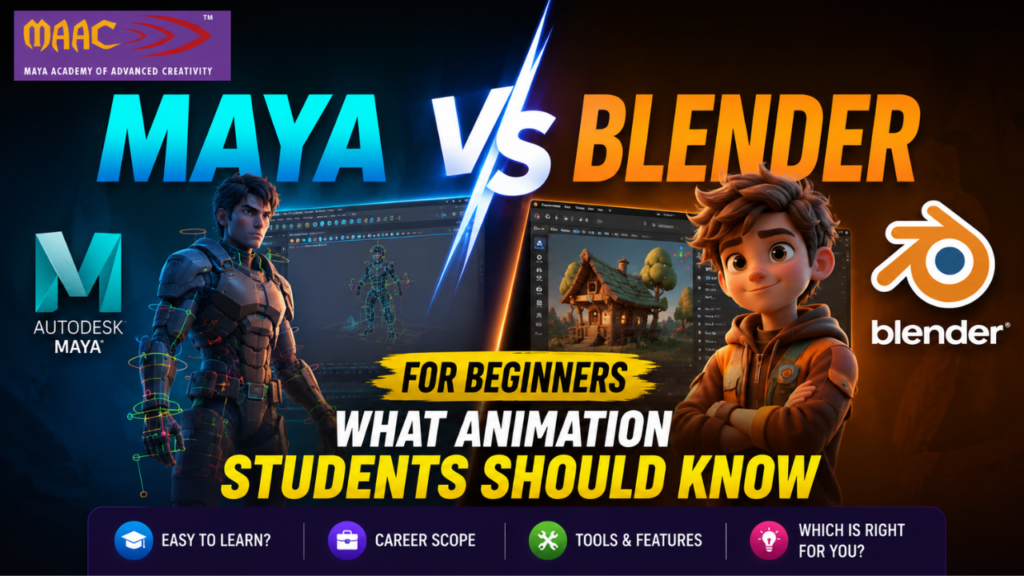
Animation is no longer just about cartoons or blockbuster movies. Today, it powers everything from video games and architectural visualization to advertising, virtual reality, and digital marketing. As the demand for skilled 3D artists continues to grow, many students who dream of entering the animation industry face one important question: Should I learn Maya or Blender?If you are searching for the answer, you are not alone. Thousands of aspiring animators, VFX artists, game designers, and motion graphics enthusiasts compare these two powerful software applications before beginning their creative journey. Understanding the differences between them can help you choose the right learning path and build a successful career.This guide on Maya vs Blender for Beginners explains everything you need to know, including features, ease of learning, career opportunities, industry demand, and why choosing the right software can shape your future in animation.
Before comparing the two, it is important to understand what each software is designed to do.Autodesk Maya is a professional 3D software used by leading animation studios, gaming companies, and VFX production houses worldwide. It offers advanced tools for modeling, texturing, rigging, animation, lighting, rendering, and simulation. Movies produced by major Hollywood studios often rely on Maya because of its powerful animation pipeline and production ready features.Blender, on the other hand, is an open source 3D creation suite that has become increasingly popular over the last few years. It provides many professional tools similar to Maya while being completely free to use. Blender has gained a massive community of artists, educators, freelancers, and independent creators who continuously contribute to its development.Both software applications are excellent, but they serve different purposes depending on your career goals.
Students entering the animation field usually want software that is easy to learn while also providing strong career opportunities. Since Maya and Blender are among the most recognized 3D animation tools, comparing them becomes a natural first step.Many beginners wonder whether learning a free software like Blender is enough or whether investing time in Maya will lead to better job opportunities. The answer depends on the type of career you want to build.If your goal is to work in major animation studios, VFX companies, or game development firms, Maya remains one of the industry’s preferred software applications. If you are interested in freelancing, independent filmmaking, YouTube content creation, or personal creative projects, Blender offers an excellent starting point.
One of the biggest concerns for beginners is how easy the software is to understand.Blender offers a modern interface that has improved significantly over recent years. It provides plenty of tutorials created by its active global community. Since anyone can download Blender for free, students can practice at home without worrying about licensing costs.Maya has a steeper learning curve because it contains advanced production tools used in professional studios. At first, the interface may appear more complex, but once students understand the workflow, they gain valuable industry-standard skills.Students learning under experienced trainers often find Maya much easier than trying to learn it alone because structured guidance removes much of the initial confusion.
The user interface plays an important role in learning speed.Blender follows a flexible workspace approach where users can customize layouts according to their needs. It allows artists to switch between modeling, sculpting, animation, UV editing, and compositing with ease.Maya provides a highly organized professional workspace built specifically for large production environments. Every tool is carefully designed to fit studio pipelines where multiple artists collaborate on complexprojects.Beginners may initially find Blender simpler, but those planning long term careers in animation studios will eventually appreciate Maya’s structured workflow.
Creating 3D objects is one of the first skills every animator learns.Both Maya and Blender provide powerful polygon modeling tools that allow artists to create characters, buildings, vehicles, furniture, and entire environments.Blender includes impressive sculpting tools, making it popular among character artists and digital sculptors.Maya focuses more on production-quality modeling workflows used in films and games. It offers precision tools that are especially useful when creating assets for professional studios.For beginners, both software applications provide excellent modeling experiences, although Maya becomes increasingly valuable when working on large-scale commercial projects.
Animation Features
Animation is where Maya truly shines.Professional animation studios worldwide rely on Maya because it offers advanced character rigging, motion paths, animation layers, constraints, inverse kinematics, and sophisticated graph editors.Blender also includes excellent animation tools and has improved tremendously over the years. Independent animators have even produced award-winning short films entirely using Blender.However, when comparing Maya vs Blender for Beginners, Maya continues to hold a significant advantage in professional character animation.
Rendering converts your 3D scenes into realistic images or videos.Blender includes Cycles and Eevee render engines. Cycles creates highly realistic images, while Eevee provides fast real-time rendering suitable for animation previews and gaming.Maya supports Arnold Renderer, one of the industry’s leading rendering engines known for producing high-quality cinematic visuals.Both produce exceptional results, but Arnold remains a favorite among professional studios.
Modern movies require realistic explosions, smoke, fire, water, cloth, and particle effects.Maya provides powerful simulation tools integrated into professional VFX pipelines.Blender also includes fluid simulations, cloth physics, particle systems, and smoke effects, making it highly capable for independent productions.Students interested in Hollywood-style visual effects often benefit from learning Maya first.
Gaming has become one of the fastest-growing industries worldwide.Both Maya and Blender support exporting models to Unity and Unreal Engine.Game studios frequently use Maya during character production because of its advanced rigging and animation systems.Blender is becoming increasingly popular among indie game developers because it offers a complete production workflow without licensing costs.
One of the biggest differences between Maya and Blender is industry adoption.Many international animation studios, VFX companies, and AAA game developers continue using Maya as their primary production software.Blender has gained significant popularity among freelancers, startups, YouTube creators, educators, and small production studios.For students planning corporate careers, Maya remains a highly valuable skill.
Blender is completely free.Students can install it on their computers without paying any subscription fee.Maya requires a commercial license, although Autodesk provides educational licenses for eligible students and institutions.While Blender wins in affordability, Maya’s professional demand often justifies the investment when pursuing a studio career.
Blender has one of the largest creative communities in the world.Thousands of tutorials, forums, YouTube channels, online courses, and free resources are available for beginners.Maya also has a strong professional community, but much of its advanced training focuses on studio production techniques and certified learning programs.
Learning either software opens exciting career paths.Students skilled in Maya often work as:
Blender artists frequently build careers as freelancers, YouTubers, product designers, architectural visualization artists, NFT creators, and indie game developers.Both software applications can lead to rewarding careers when combined with creativity and strong portfolios.
Professional animators with Maya expertise often receive competitive salaries because many large studios rely on industry standard workflows.Experienced artists working in animation, gaming, and VFX can continue advancing into senior creative and technical roles.Blender artists also earn well, especially those working internationally through freelancing platforms or running independent creative businesses.Ultimately, income depends more on your skills, portfolio, creativity, and experience than on the software alone.
Hyderabad occupies a unique position in India’s creative media landscape. The city is home to major production studios, a thriving film industry in Tollywood, and an established technology ecosystem that has naturally expanded into gaming, virtual reality, and digital content creation.Several globally recognized studios and post-production facilities are based in or near Hyderabad. The Tollywood film industry, centered in Film Nagar and Ramoji Film City, is one of the most prolific regional film industries in India and one of the most technically ambitious consistently pushing the boundaries of VFX work. This creates a steady, local pipeline of employment for animation and VFX professionals.Hyderabad’s position as a major IT and technology hub means it has attracted international companies, several of which have digital content and gaming divisions. The city’s infrastructure connectivity, relative cost of living compared to Mumbai, and the presence of a large student population makes it both an attractive place for studios to operate and for students to study and build careers.The presence of animation students and professionals also creates a creative community: networking events, portfolio workshops, independent studios started by young graduates, and mentorship networks. That ecosystem feeds on itself more skilled graduates attract more studios, which creates more opportunities, which attracts more students.
Students who develop strong 3D animation skills can pursue a wide variety of career directions. The field is far broader than most people initially imagine.
Works in film, television, gaming, or advertising to create believable character performances. Starting salaries in Hyderabad for junior animators are typically in the range of INR 2 to 3.5 LPA, growing significantly with experience and specialization.
Works on live-action film and video productions to integrate computer-generated imagery with real footage. The Tollywood industry maintains consistent demand for VFX compositors with strong software skills in Nuke, After Effects, and Fusion.
Creates the visual assets that populate video games — characters, environments, vehicles, and props. As Hyderabad’s gaming industry grows, this role has become one of the more plentiful entry-level positions available to fresh graduates with strong portfolios.
Creates animated content for digital advertising, broadcast media, social media, and corporate communication. This career path has one of the fastest entry timelines into the industry, with strong freelance potential from early in a career.
Works with real estate developers, architects, and interior designers to create photorealistic 3D renders and walkthrough animations of buildings and spaces. Hyderabad’s expanding real estate sector creates ongoing, consistent demand for this specialization.
A higher-specialization role combining technical and artistic skills. Riggers and lighting TDs are consistently among the most in-demand and highest-paid professionals in studio production pipelines globally and in India.
3D animation suits a particular type of student though perhaps a broader range than is commonly assumed. The persistent misconception is that only those who can draw should pursue animation. In reality, 3D animation is a technical-artistic discipline where spatial reasoning, observational skill, and attention to motion are more fundamental than traditional drawing ability.
Students who have an interest in films and visual storytelling, enjoy working with technology and software, are patient and detail oriented, and find satisfaction in iterative creative work tend to thrive in this field. The pipeline is long and requires sustained focus but it rewards that patience with results that can be extraordinary.
Students with a background in science or engineering often find 3D animation surprisingly accessible, particularly in specializations like rigging, simulation, and lighting that rely heavily on mathematical and computational thinking. After completing 10th or 12th grade, students can begin structured 3D animation training without needing any prior technical background.
Students apply these tools through guided assignments, live projects, and practical exercises, ensuring hands-on experience with industry-standard software. This training equips learners of the VFX course at MAAC Kukatpally to confidently handle real-world projects and meet the requirements of film studios, animation companies, advertising agencies, and gaming studios. By mastering these software programs, students develop the technical proficiency and creative skills needed to excel as professional VFX artists, compositors, motion graphics designers, and digital animators, preparing them for a successful career in the competitive world of visual effects and animation
Artificial intelligence is reshaping workflows across every creative field, and 3D animation is no exception. AI tools are accelerating tasks like facial animation, body motion capture cleanup, texture generation, and background rendering. Studios are using AI to reduce the time and cost of production particularly for labor-intensive tasks that previously required large teams.
However, this is not displacing human animators. Instead, it is changing the profile of what animators spend their time doing. The mechanical and repetitive parts of the pipeline are being assisted or automated, freeing animators to focus on the creative, directorial, and performance-driven aspects of their work. Animators who understand how to work with AI tools — and who bring strong artistic judgment to the process are becoming more valuable, not less.
For students entering the field in 2026, understanding AI-assisted workflows alongside traditional software skills is becoming part of what it means to be a well-rounded animation professional.
In 3D animation, no resume element carries more weight than a showreel. A showreel is a short compilation — typically 60 to 90 seconds — of an artist’s best work. It is the primary instrument through which studios evaluate candidates, and it matters far more than academic credentials.
This means that from the very beginning of their learning journey, animation students should be thinking about what work they are creating, how it demonstrates their skills, and how it is presented online. Strong portfolio work from personal projects, student productions, and internship assignments consistently results in employment for skilled graduates, regardless of which city they are based in.
Enrolling in a VFX course at MAAC Kukatpally allows aspiring artists to develop both creative and technical expertise, giving them a competitive edge in the international VFX and animation industry. This global exposure enables students to explore diverse career paths, participate in international projects, and achieve professional growth in visual effects, animation, gaming, and digital media, making them ready for success anywhere in the world.
Yes. Hyderabad’s established film, gaming, and digital media industry creates consistent local demand for skilled 3D animation professionals. The city is home to studios, post-production houses, and gaming companies that regularly hire talented graduates from structured animation training programs.
The scope is broad and expanding. Film VFX, gaming, OTT content, advertising, architectural visualization, e-learning content, and virtual production are all active and growing markets for 3D animation talent in India. International studios also outsource heavily to Indian talent pools.
An interest in visual arts, physics (for simulation and movement), and computer science (for technical tools and game engines) gives students a strong foundation. However, most structured animation programs are designed to teach all required technical skills from the ground up — no prior background is needed.
Foundation skills in 3D modeling, rigging, and animation can be developed over 12 to 18 months of structured training. Specialization and professional-level proficiency typically develop over 2 to 3 years, including practical project work and portfolio building.
3D animation refers broadly to the creation of animated content in a three-dimensional digital environment. VFX (Visual Effects) specifically refers to the integration of digitally created imagery with live-action footage. VFX relies heavily on 3D animation skills, but also incorporates compositing, color science, and film production knowledge.
What is 3D Animation and Why is it the Best Career Choice for Students in Hyderabad in 2026? Home Blog Contact us Explore the best
Maya vs Blender for Beginners: What Animation Students Should Know Home Blog Contact us Hyderabad has quietly become one of the most exciting cities in
What is 3D Animation and Why is it the Best Career Choice for Students in Hyderabad in 2026? Home Blog Contact us The creative industry
Camera Tracking Course in Hyderabad: Learn Mocha, PFTrack and Matchmove Basics for a Successful VFX Career Home Blog Contact us Visual effects have transformed modern
What is 3D Animation and Why is it the Best Career Choice for Students in Hyderabad in 2026? Home Blog Contact us The demand for
YouTube Video Editing Course in Hyderabad: Editing, Thumbnails and Channel Growth Home Blog Contact us Hyderabad has quietly become one of the most exciting cities
UI UX Course in Hyderabad: Skills, Tools, Portfolio and Career Scope Home Blog Contact us Today in digital world, every successful website, mobile app, and